Upload Any File. Get Instant AI Analysis.

Drop PDFs, spreadsheets, images, and documents into Ninja. Get summaries, extract key data, and ask follow-up questions — all in seconds.

Ecommerce_Sales_and_Invento...

47.12 KB

Analyze this file and generate a strategic brief with charts for leadership...

Connect
Complex
Soft-focus landscape of a calm lake surrounded by grassy banks and distant layered mountains under a pastel sunset sky.

Compatability

Supported File Types

Ninja handles the file formats your team already uses — no conversion required.

Documents

PDF, DOCX, DOC, TXT, RTF

Spreadsheets

XLSX, XLS, CSV

Images

JPEG, PNG, WEBP, GIF, SVG

Presentations

PPTX, PPT

Code Files

PY, JS, HTML, CSS, JSON, XML

Audio

MP3, WAV, M4A

How it works

From File to Insight in Four Steps

Upload once, analyze endlessly. Here's how Ninja processes your files.

01

Upload

Drag and drop files or paste content directly into Ninja. Supports PDFs, spreadsheets, images, Word docs, and more.

02

AI Processing

Ninja reads, parses, and indexes your files — extracting text, data, structure, and visual elements automatically.

03

Interact & Analyze

Ask questions in plain language. Request summaries, comparisons, data extraction, or content generation from your files.

04

Export & Act

Generate reports, draft emails, create presentations, or feed results into Deep Research and AI Writer.

Use Cases

Turn Any File into Actionable Insights

From sales reports to legal contracts, Ninja adapts to your workflow

Client Proposal Preparation

Upload contracts, RFPs, or client briefs and Ninja extracts deadlines, requirements, and key terms into an organized summary — ready for your team in minutes, not hours.

HR Document Review

Screen resumes, review employee records, or audit compliance docs. Ninja identifies qualifications, employment history, and key skills across multiple files simultaneously.

Sales Data Analysis

Upload sales spreadsheets and Ninja surfaces revenue trends, top-performing products, and rep-by-rep comparisons. Ask follow-up questions to drill into any metric.

Research-to-Content Pipeline

Upload research papers, notes, or brainstorming docs. Ninja generates structured summaries and draft content — turning raw research into polished output in a single step.

Customer Feedback Analysis

Feed in survey responses, support tickets, or social media exports. Ninja identifies recurring themes, sentiment patterns, and priority issues across your entire dataset.

PDF Summarization & Comparison

Summarize any PDF in seconds. Upload multiple PDFs and Ninja cross-references them — highlighting where documents agree, conflict, or contain unique information.

Start Analyzing Files in Seconds

Upload your first document and see what Ninja finds. No setup required.
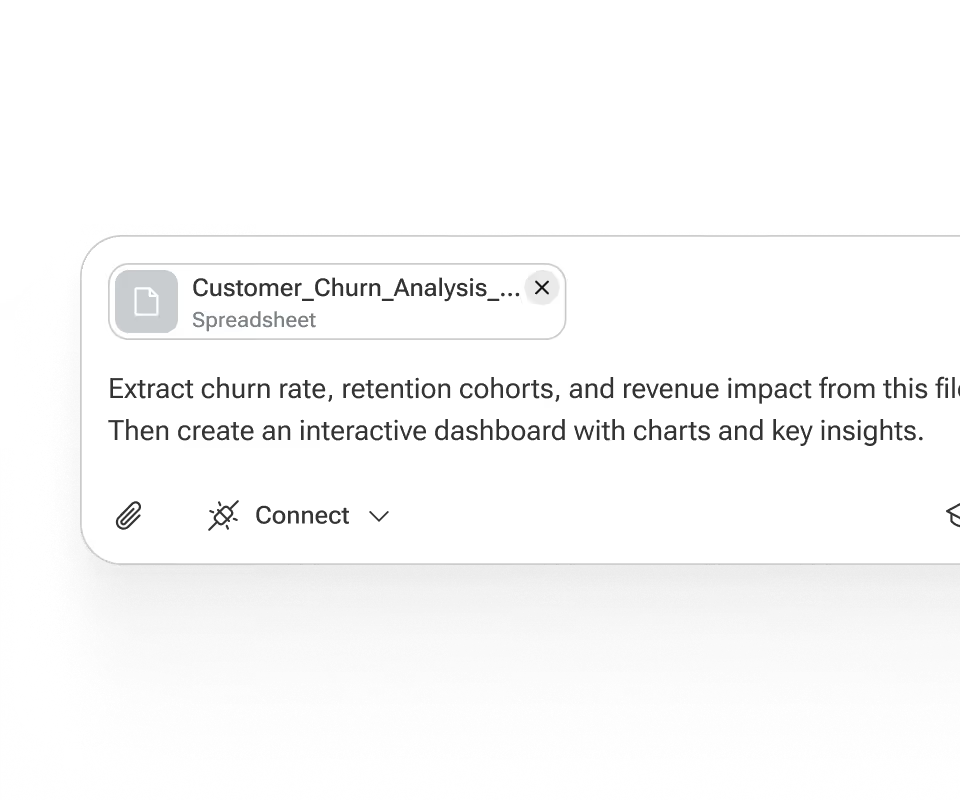
Chat interface showing a spreadsheet file named Customer Churn Analysis with instructions to extract churn rate, retention cohorts, and revenue impact, then create an interactive dashboard with charts and key insights.

FAQ

Frequently Asked Questions

Everything you need to know about Ninja's file upload analysis.

Try for Free

What types of files can I upload?

How does Ninja analyze uploaded images?

Can I interact with the content after uploading it?

Is it possible to upload multiple files at once?

Is my data secure?

What is the maximum file size?

Can Ninja extract data from scanned documents?