
Connect Slack to SuperNinja.
Automate Your Workspace.
Let SuperNinja's autonomous AI agents search, summarize, and act on your workspace - however you prefer to work.
Available on all plans · Trusted by 200+ companies
Step 1
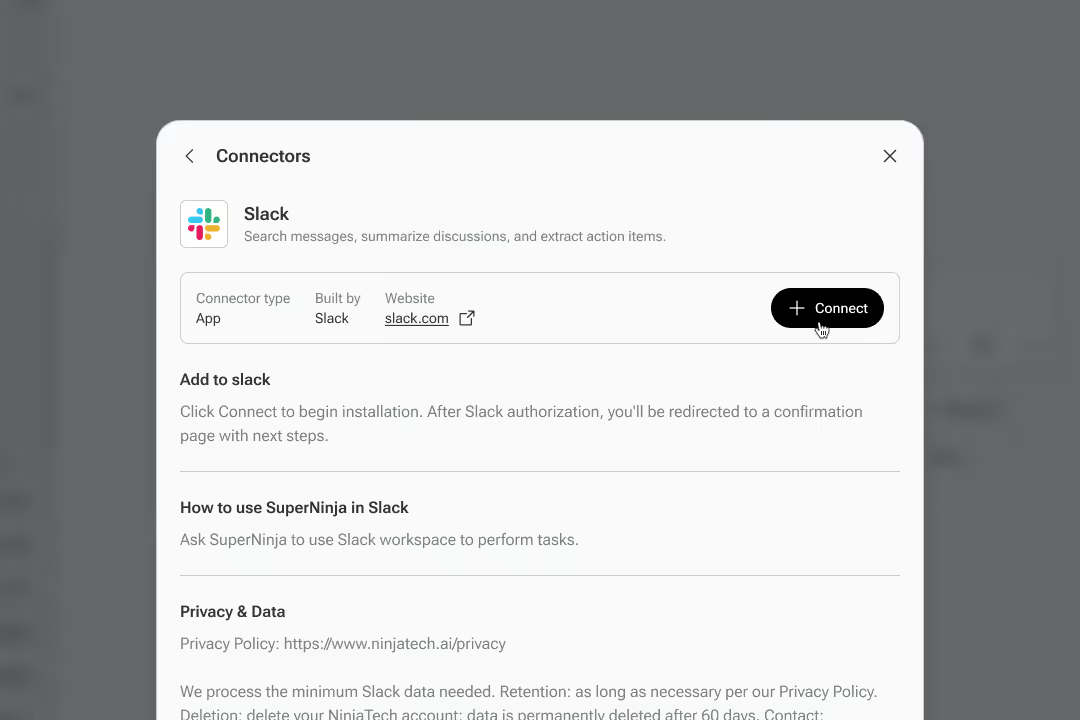
Connect Slack in SuperNinja
Open the Connect menu inside SuperNinja and find Slack. Authorize your workspace to give Ninja access to your channels, messages, threads, and shared files.
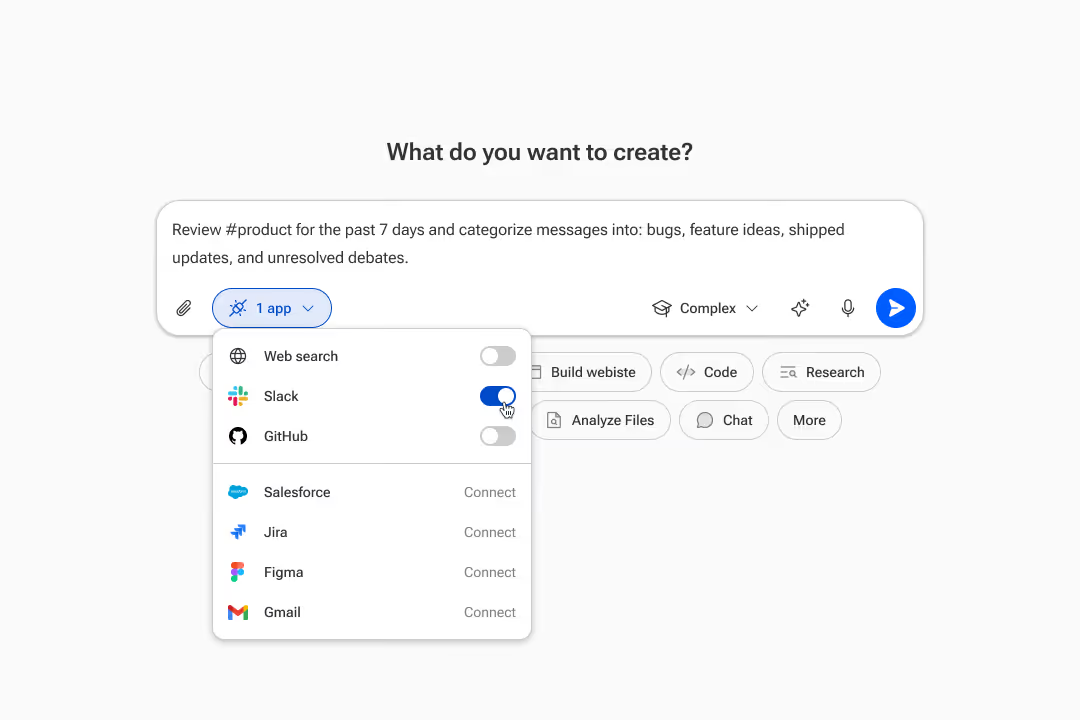
Once authorized, enable Slack for any specific conversation using the toggle in the input box.
Step 2
Ask Ninja to Use Slack
Once Slack is enabled, just tell SuperNinja what you need. Ninja reaches into your workspace, searches across channels and threads, and delivers complete results — summaries, action items, drafted messages, research, and more.
It's as simple as typing a question. Ninja handles the rest, showing its reasoning at every step.
*SuperNinja can make mistakes. Please double-check responses.
Use Cases
Everything your team needs from Slack, handled by Ninja
Once your Slack workspace is connected, SuperNinja doesn't just answer questions — it plans, searches, analyzes, and delivers complete results.
Search Across Your Workspace
Find anything across channels, DMs, threads, and shared files — instantly.
"Find every message about the API redesign from last month"
Summarize Discussions
Ninja reads entire channels and threads, then delivers crisp summaries with key decisions and next steps.
"Summarize #engineering from this week and list all decisions"
Extract Action Items
Never miss a follow-up. Ninja identifies action items, owners, and deadlines from any discussion.
"Pull all action items from the #product retro thread with owners and due dates"
Draft Messages & Replies
Tell Ninja what you want to say — announcements, follow-ups, status updates. Your voice, Ninja's speed.
"Draft a launch announcement for #general based on the #product-launches discussion"
Deep Research On Demand
Need competitive analysis or market data mid-conversation? Ninja runs deep research with verified citations.
"Research enterprise SaaS pricing benchmarks and compare to what we discussed in #sales"
Analyze Shared Files
Point Ninja at a spreadsheet, PDF, or document shared in Slack. It extracts insights and generates reports.
"Analyze the Q3 revenue spreadsheet Sarah shared in #finance and highlight trends"
