Analyse des appels audio pour Salesforce
Vue d'ensemble
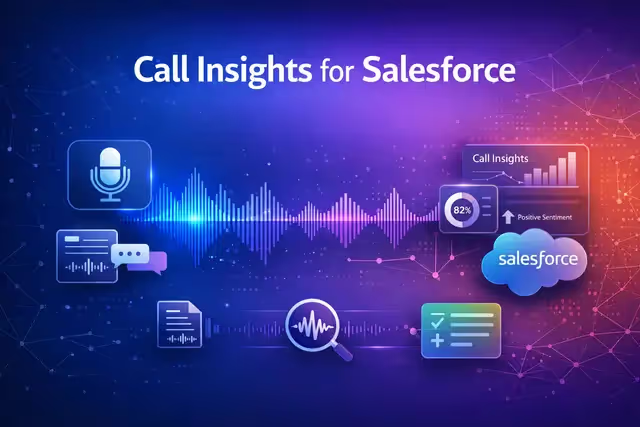
Audio Call Analysis pour Salesforce transcrit et analyse les enregistrements des appels de vente en quelques minutes. Téléchargez un fichier audio et l'application gère la transcription automatique, l'extraction des points clés, l'analyse des sentiments et l'identification des actions à effectuer. Un chat IA intégré vous permet de poser des questions sur tous vos appels mis en ligne avec un contexte de conversation complet. Lorsque votre analyse est prête, envoyez des informations directement à Salesforce. Créez des tâches de suivi à partir des actions à effectuer, mettez à jour les enregistrements de compte en fonction des besoins des clients et enregistrez les détails des réunions, le tout sans quitter l'application.
Key features
- Automatic transcription
- Key point extraction & sentiment analysis
- Salesforce integration
- AI chat across calls
Comment ça marche
- Téléchargez un enregistrement audio d'un appel commercial.
- L'application transcrit automatiquement l'appel et extrait les points clés, les sentiments et les mesures à prendre.
- Utilisez le chat IA pour poser des questions sur l'un de vos appels chargés, puis envoyez des informations directement à votre compte Salesforce connecté pour créer des tâches, mettre à jour les enregistrements et enregistrer les détails des réunions.
Connectez votre compte Salesforce une seule fois et chaque analyse est prête à être synchronisée avec votre CRM.

Analyse des appels audio pour Salesforce
Par
IA NinjaTech
Modèles d'IA
Aucune spécifiée
Intégrations
Salesforce



Parcourez l'App Store Ninja, choisissez une application et commencez à l'utiliser dès aujourd'hui, le tout dans SuperNinja.