Análisis de llamadas de audio para Salesforce
Visión general
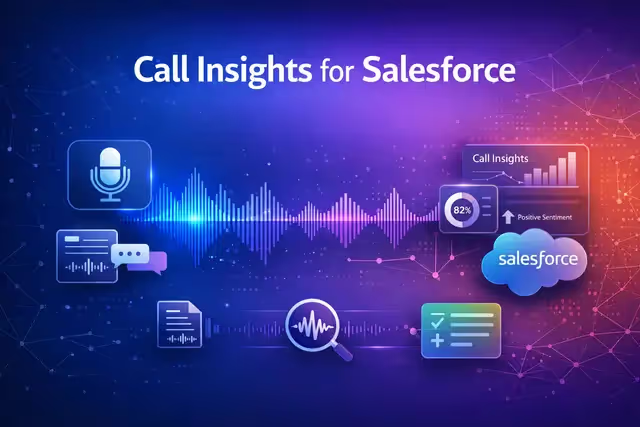
Audio Call Analysis for Salesforce transcribe y analiza las grabaciones de llamadas de ventas en cuestión de minutos. Cargue un archivo de audio y la aplicación gestionará la transcripción automática, la extracción de puntos clave, el análisis de opiniones y la identificación de los elementos de acción. Un chat de IA integrado te permite hacer preguntas en todas las llamadas que hayas subido con todo el contexto de la conversación. Cuando su análisis esté listo, envíe la información directamente a Salesforce. Cree tareas de seguimiento a partir de las acciones, actualice los registros de las cuentas para adaptarlos a las necesidades de los clientes y registre los detalles de las reuniones, todo ello sin salir de la aplicación.
Key features
- Automatic transcription
- Key point extraction & sentiment analysis
- Salesforce integration
- AI chat across calls
Cómo funciona
- Sube una grabación de audio de una llamada de ventas.
- La aplicación transcribe automáticamente la llamada y extrae los puntos clave, los sentimientos y los elementos de acción.
- Utilice el chat de IA para hacer preguntas sobre cualquiera de las llamadas que haya subido y, a continuación, envíe la información directamente a su cuenta de Salesforce conectada para crear tareas, actualizar registros y registrar los detalles de las reuniones.
Conecte su cuenta de Salesforce una vez y todos los análisis estarán listos para sincronizarse con su CRM.

Análisis de llamadas de audio para Salesforce
Por
IA de NinjaTech
Modelos de IA
No se especificó ninguno
Integraciones
Fuerza de ventas



Navega por la Ninja App Store, elige una aplicación y comienza a usarla hoy mismo, todo dentro de SuperNinja.